
Foundation
Advanced Data Transformation Techniques
Overview
What You Will Learn
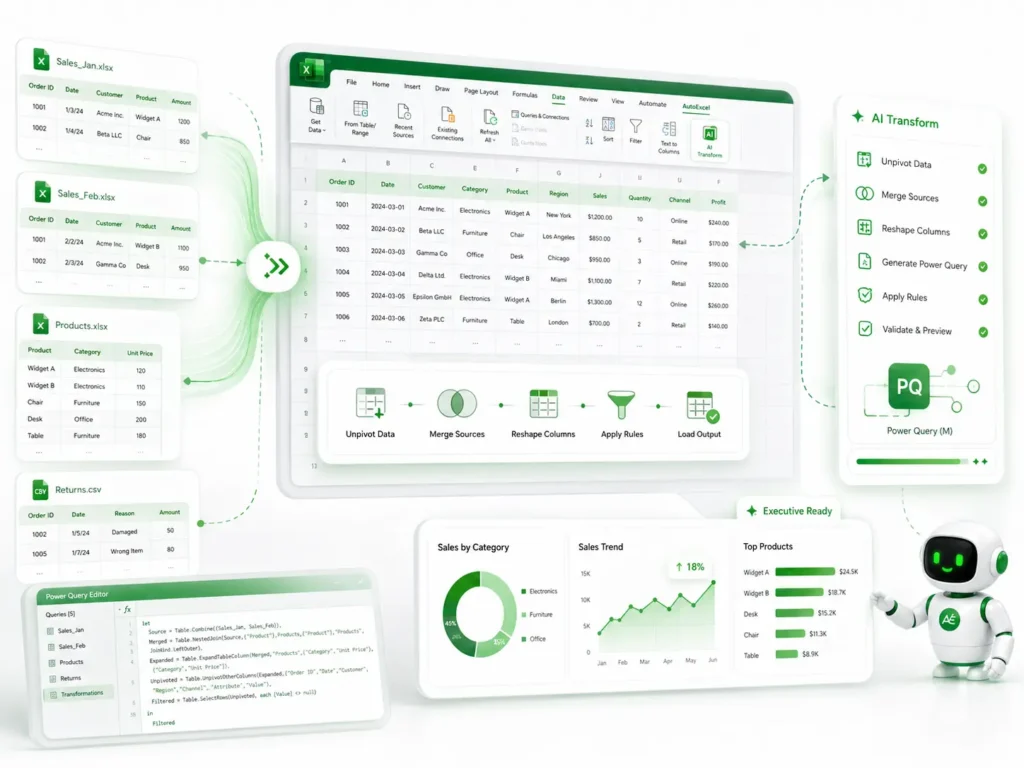
Multi-Dimensional Restructuring
Learn how to use AI to flip, transpose, and unpivot large datasets into analysis-ready formats.
Automated Data Merging
Master the process of combining data from multiple sources or disparate sheets into a unified, clean master table.
AI-Enhanced Power Query
Discover how to prompt AI to generate complex Power Query logic, allowing you to build repeatable transformation pipelines.
Logic-Based Transformation
Learn how to create custom transformation rules for non-standard data entries using AI-validated formulas.
What’s Included
1 x Strategic PDF Guide (9 Pages)
A technical manual featuring advanced techniques for data restructuring, including specific AI prompt sequences for high-complexity tasks.
1 x Excel Practice Workbook (.xlsx)
A "Challenge Dataset" containing complex, unstructured data scenarios designed to test your ability to transform raw inputs into executive-ready reports.
System Requirements
Software
Microsoft Excel (Desktop Version). Compatible with Excel 2016, 2019, 2021, and Microsoft 365.
Skill Level
Intermediate to Advanced. Recommended for users already familiar with basic Excel functions and data layout.
Delivery & Support
Instant Access
Once your payment is successfully processed, you will receive an automated email from support@autoexcel.pro with your secure Google Drive download link.
Satisfaction Guarantee
Our technical team is available to assist you. If you have questions regarding the data files or implementation, reach out to us at support@autoexcel.pro
Refund Policy
Please review our Refund and Return Policy for details regarding digital product access and support.