
Foundation
Troubleshooting Errors with AI
Overview
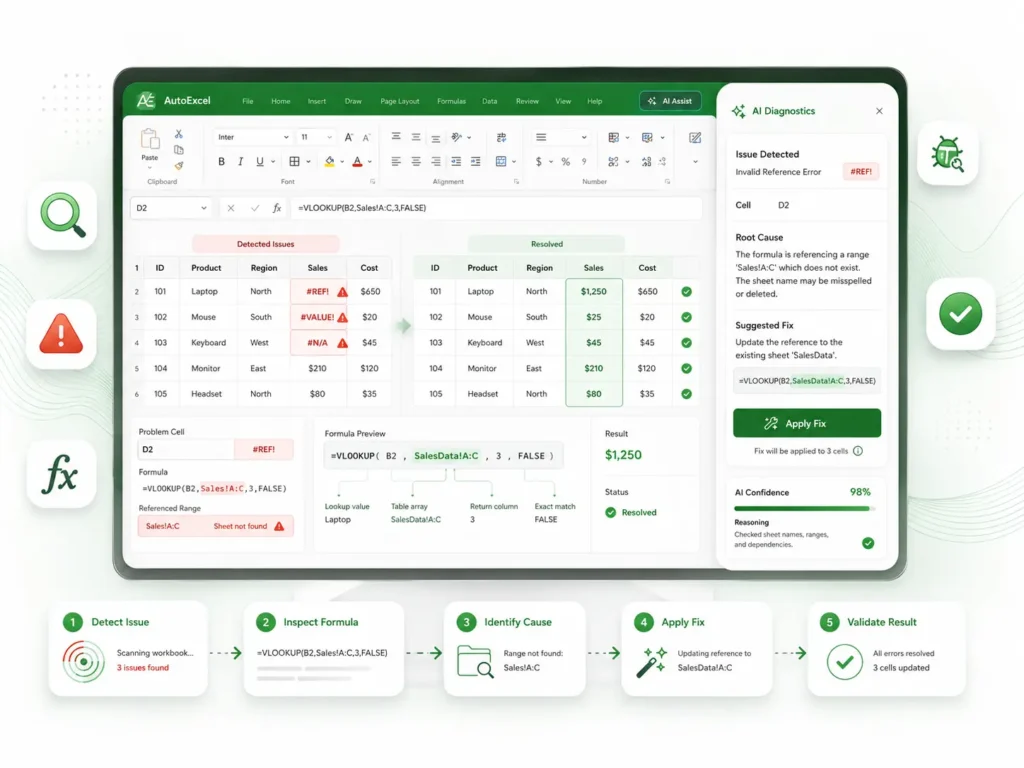
Every Excel user eventually hits a wall—whether it’s a #REF!, #VALUE!, or #N/A error. Instead of scouring online forums for hours, learn to use AI as your personal technical consultant. This course provides a structured, repeatable methodology to diagnose the root cause of any spreadsheet error and apply a permanent fix.
What You Will Learn
The Error Diagnostic Framework
A step-by-step process to identify if an error is caused by bad data, incorrect syntax, or range mismatches.
AI-Driven Troubleshooting
Master the exact "Diagnostic Prompts" that force AI to explain the why behind your error, not just provide a quick fix.
Preventative Design
Learn to prompt AI to build "error-proof" formulas that include IFERROR and IFNA logic, so your spreadsheets never break in the first place.
Bulk Correction
Discover how to use AI to scan entire columns for hidden formatting issues that cause widespread errors across your workbook.
What’s Included
1 x Troubleshooting Manual (16 Pages)
A comprehensive guide covering common error codes, diagnostic strategies, and a "Quick-Fix" prompt library.
1 x Excel Practice Workbook (.xlsx)
A "Debugging Lab" containing intentionally broken spreadsheets for you to repair using the techniques learned in the guide.
System Requirements
Software
Microsoft Excel (Desktop Version). Compatible with Excel 2016, 2019, 2021, and Microsoft 365.
Skill Level
All levels. This is an essential "emergency kit" for any Excel user, from beginner to advanced.
Delivery & Support
Instant Access
Digital delivery to your email immediately upon successful payment.
Support
If you find a particularly stubborn error in your own work, our support team is available to help guide you. Contact us at support@autoexcel.pro.
Refund Policy
Please review our Refund and Return Policy for details regarding digital product access and satisfaction.