
Foundation
Automated Data Cleaning with AI
Overview
What You Will Learn
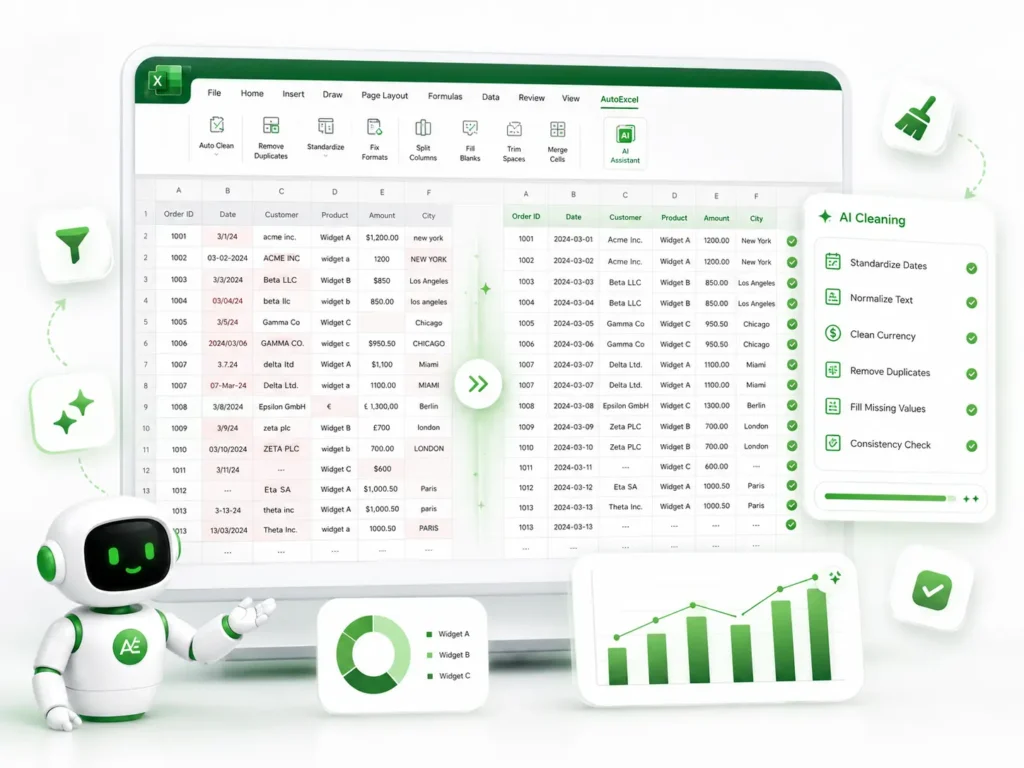
Intelligent Data Standardization
Automatically align inconsistent date formats, currency symbols, and text capitalization across large datasets.
Error Detection & Resolution
Use AI prompts to find hidden formatting errors and "dirty" data that cause formulas to break.
Rapid Duplication Removal
Implement AI-driven workflows to identify and reconcile duplicate entries without losing critical information.
Structure Transformation
Learn to convert unstructured, "raw" report data into clean, analysis-ready tables with a single prompt.
What’s Included
1 x Practical PDF Guide (7 Pages)
A fast-track manual containing proven AI prompts for the most common data cleaning headaches.
1 x Excel Practice Workbook (.xlsx)
A "Before & After" dataset designed for you to practice cleaning messy data, including real-world examples of mismatched types and formatting errors.
System Requirements
Software
Microsoft Excel (Desktop Version). Compatible with Excel 2016, 2019, 2021, and Microsoft 365.
Skill Level
Beginner to Intermediate. No previous data-cleansing experience required.
Delivery & Support
Instant Access
Once your payment is successfully processed, you will receive an automated email from support@autoexcel.pro containing your secure Google Drive download link.
Support
We are committed to your success. If you have any technical questions or need assistance accessing your files, please contact us at support@autoexcel.pro .
Refund Policy
Please review our Refund and Return Policy regarding digital product access before purchasing.